

ZeeMee: Connect with Campus Friends Instantly
Overview
ZeeMee is a social networking application tailored specifically for college students and prospective applicants. Designed to simplify campus connections, the app focuses on fostering real-time interactions through community features, chat functions, and event discovery. Its primary purpose is to help users build friendships, find study partners, and stay informed about campus happenings. The platform supports interest-based networking, enabling students to connect with peers who share similar hobbies, majors, or academic goals.
Target users include current college students, incoming freshmen, and high school seniors preparing for university life. The app is especially useful during orientation periods, exam weeks, or when seeking new social circles. Real-world usage scenarios include joining study groups, organizing social events, and finding compatible roommates through structured matching tools. While the developer, ZeeMee, has not provided additional background details, the app’s focus on student-centric functionality suggests a dedicated approach to campus-based digital engagement.
With features like Friend Finder and Roommate Match, ZeeMee aims to reduce the social barriers often faced by new students. The inclusion of audio chat functionality also caters to users who prefer verbal communication over text, enhancing accessibility and personal connection. The app operates as a free tool, removing financial barriers to entry and encouraging widespread adoption within student communities.
Key Features & Capabilities
- Friend Finder: Enables users to discover and message other students based on shared interests, schools, academic year, major, and location. This feature streamlines the process of expanding social networks with relevant peers.
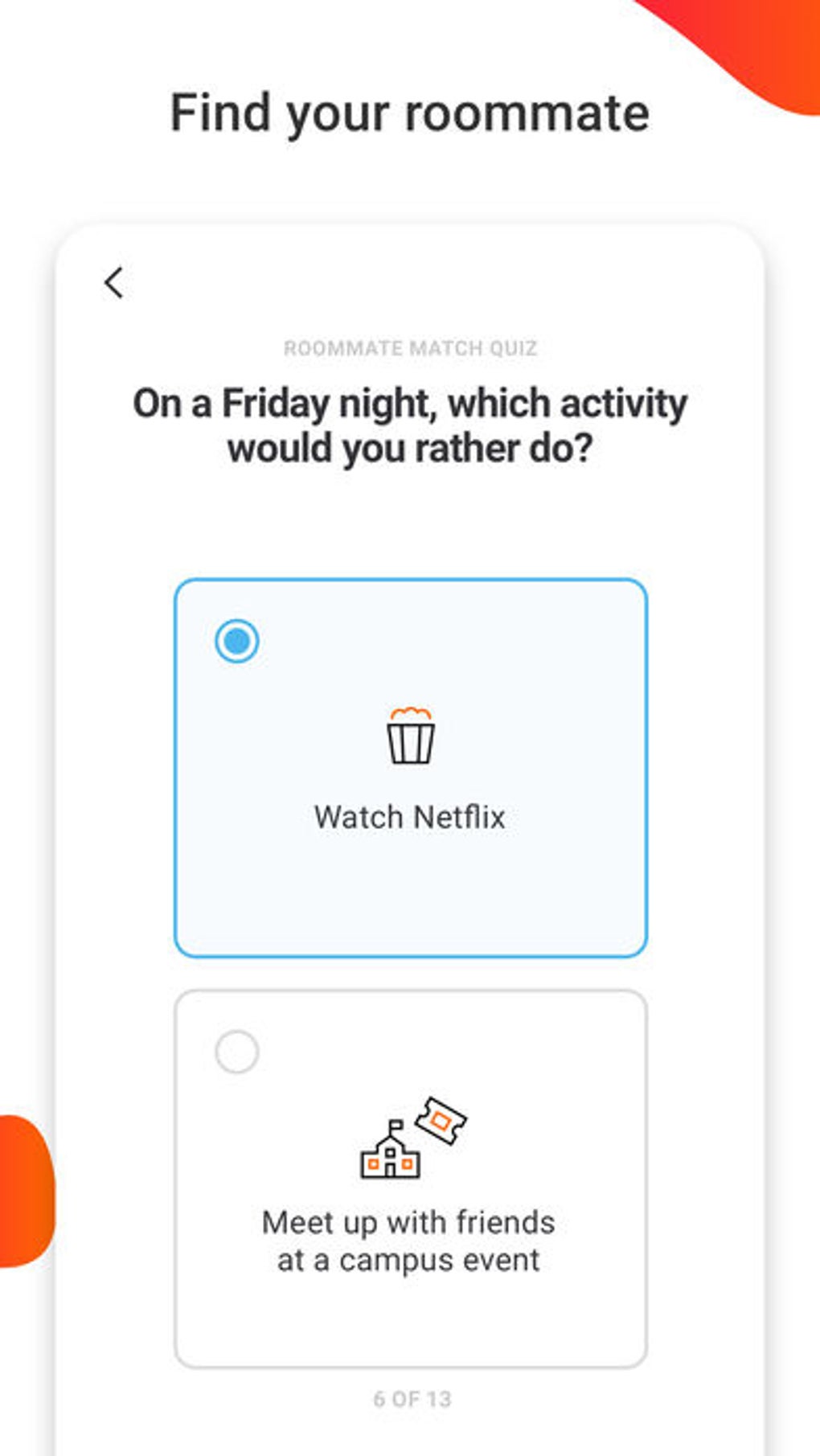
- Roommate Match: A quiz-based matching system that pairs users with potential roommates based on lifestyle preferences, sleep schedules, cleanliness habits, and study routines.
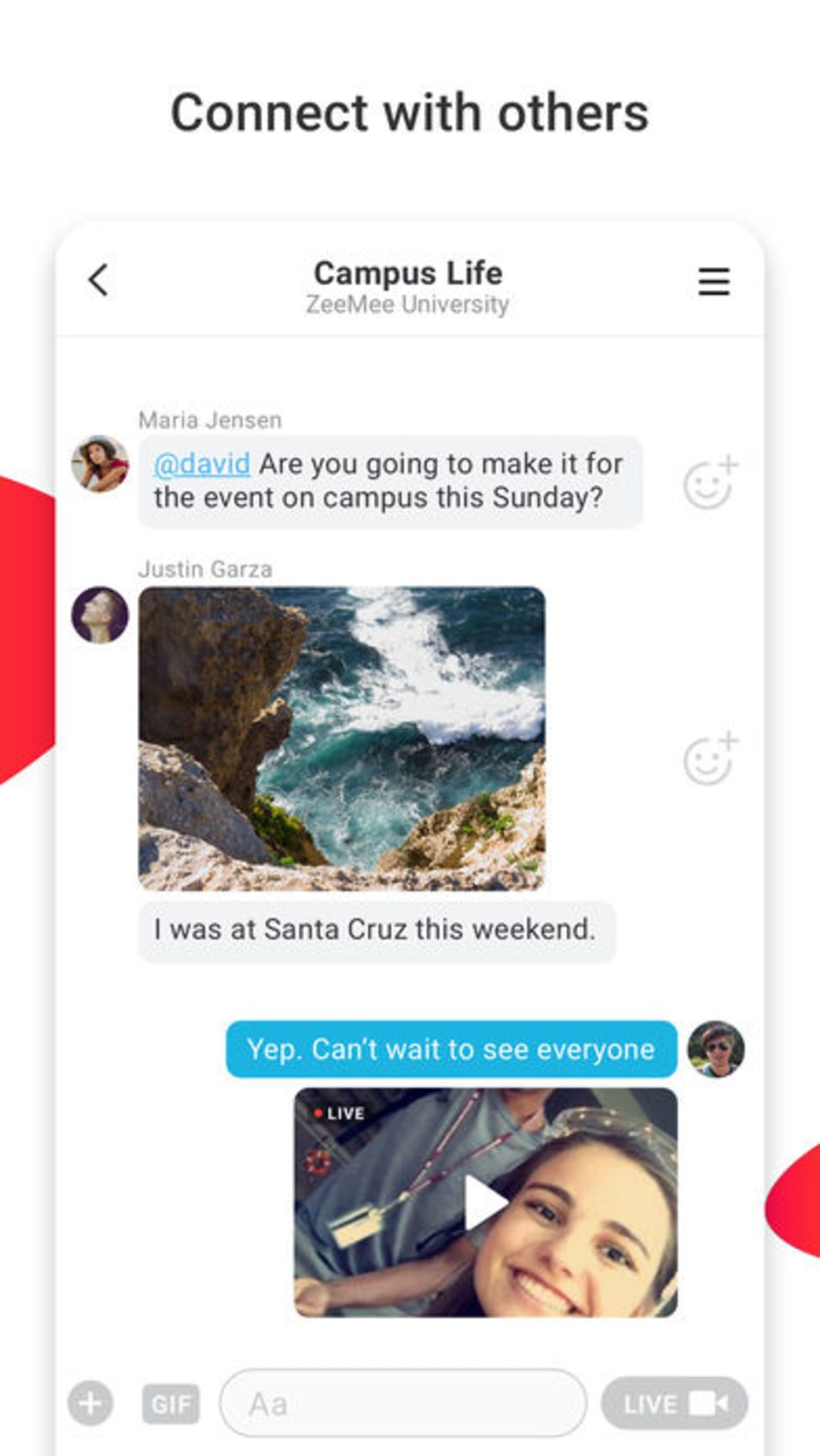
- Interest-Based Chats: Users can join or create group chats centered around specific hobbies, academic disciplines, or campus activities, fostering niche communities within larger student populations.
- Audio Chat: Allows real-time voice conversations without relying on typing, ideal for casual catch-ups or situations where keyboard input is inconvenient.
- Campus Events Hub: Provides updates on upcoming lectures, club meetings, sports games, and social gatherings, helping students stay engaged with campus life.
- Study Buddy Matching: Facilitates connections between students seeking collaborative learning opportunities, supporting academic success through peer support.
These features collectively support both social and academic needs. For instance, a first-year biology major could use the Friend Finder to locate other science students, join an interest-based chat for pre-med discussions, and then connect with a study buddy for weekly review sessions. Similarly, a transfer student might use the Roommate Match to find someone with compatible living habits before moving into dorms.
User Interface, Workflow & Performance
The user interface of ZeeMee appears to prioritize simplicity and intuitive navigation, aligning with mobile-first design principles common in social apps. Core functions such as messaging, chat rooms, and profile settings are likely accessible through bottom navigation or tab-based layouts, minimizing user effort. The workflow is designed to guide users from onboarding to active participation with minimal friction.
Based on general patterns observed in similar applications, the app likely uses a clean layout with visual cues to indicate new messages, event alerts, and match suggestions. Interaction flows—such as completing a roommate quiz or joining a chat room—are expected to be streamlined, with clear progress indicators and minimal steps. However, exact performance details were not specified by the developer.
Stability and responsiveness are assumed to be consistent with standard mobile app standards, particularly given the app’s focus on real-time communication. The developer did not provide specific information on CPU or RAM usage, so resource efficiency cannot be confirmed. Users may experience varying performance depending on device capabilities and network conditions, but no reports of crashes or bugs were mentioned in the available data.
Compatibility & System Requirements
ZeeMee is available on both Android and iOS platforms, ensuring broad accessibility across major mobile operating systems. The app has a file size of 45 MB, which is relatively lightweight for a social networking tool with multimedia features. This size suggests efficient code optimization and minimal storage footprint.
Support for the latest versions of Android and iOS is implied by the release date and version number, though exact OS version requirements were not listed. The developer did not specify minimum hardware requirements such as RAM, processor speed, or storage space beyond the installation size. Compatibility information was partially provided, leaving room for uncertainty on older devices.
Users should expect smooth operation on modern smartphones with standard processing power and internet connectivity. For optimal experience, a stable Wi-Fi or mobile data connection is recommended, especially when using audio chat or accessing event updates in real time.
Pros and Cons
Pros
- Free to download and use, removing cost barriers for students
- Specialized for college students and applicants, offering relevant features
- Multiple connection tools: Friend Finder, Roommate Match, and Audio Chat
- Interest-based chats promote niche community building
- Lightweight installation size (45 MB) for efficient storage use
Cons
- Exact system requirements were not listed, limiting transparency
- Performance data such as CPU or RAM usage was not provided
- Only available on mobile platforms (Android and iOS), no desktop version
- App functionality relies on internet connectivity for full use
- Limited information about data privacy and security practices
FAQ Section
Is ZeeMee available for Windows or Mac?
ZeeMee is currently only available on Android and iOS devices. There is no desktop version available at this time.
Is ZeeMee safe to use?
The app is designed for students and includes features like profile filtering and chat moderation. However, specific security protocols or data encryption details were not disclosed by the developer.
How often does ZeeMee release updates?
The latest version is 3.1.2, released on May 15, 2024. Regular updates are likely, but the update frequency has not been publicly specified.
What type of license does ZeeMee use?
ZeeMee is a free application with no subscription fees. It operates under a standard end-user license agreement, though specific terms were not provided.
Can I use ZeeMee offline?
Most features require an active internet connection. While some cached content may be accessible offline, core functions like messaging, audio chat, and event updates are dependent on real-time connectivity.
Final Thoughts
ZeeMee stands out as a purpose-built social platform for college students, combining social discovery, academic support, and lifestyle matching into a single interface. Its unique blend of Friend Finder, Roommate Match, and Audio Chat offers tangible value for users navigating the challenges of campus life. The app’s lightweight design and free access make it an accessible tool for students across various income levels.
While some technical and compatibility details remain unspecified, the overall experience appears focused on usability, relevance, and community engagement. For incoming freshmen, transfer students, and active campus participants, ZeeMee provides a practical way to build connections, stay informed, and find support. The app fills a clear niche in the student-focused digital ecosystem.
Download ZeeMee now







